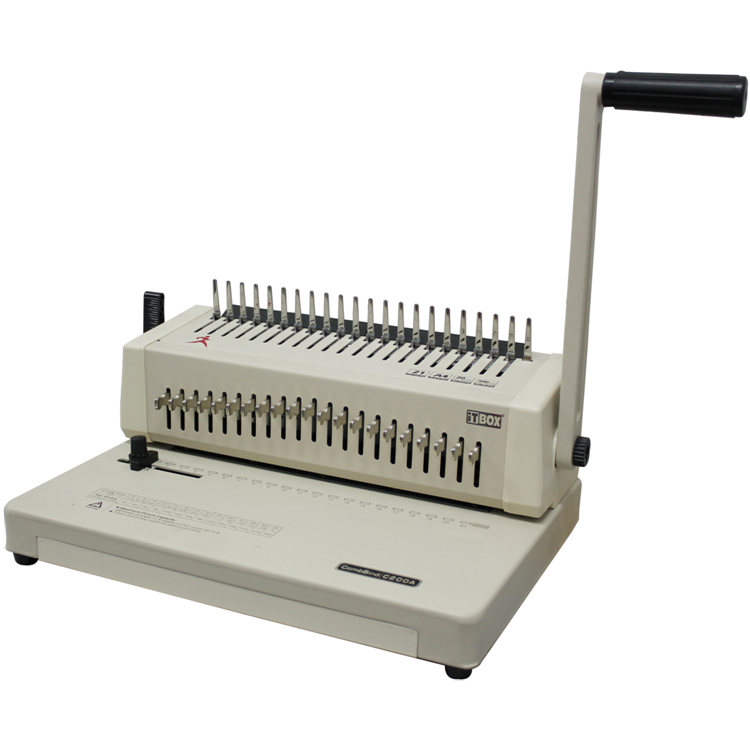
iTBOX Manual Comb Binding Machine
Model : C200A
FEATURES :
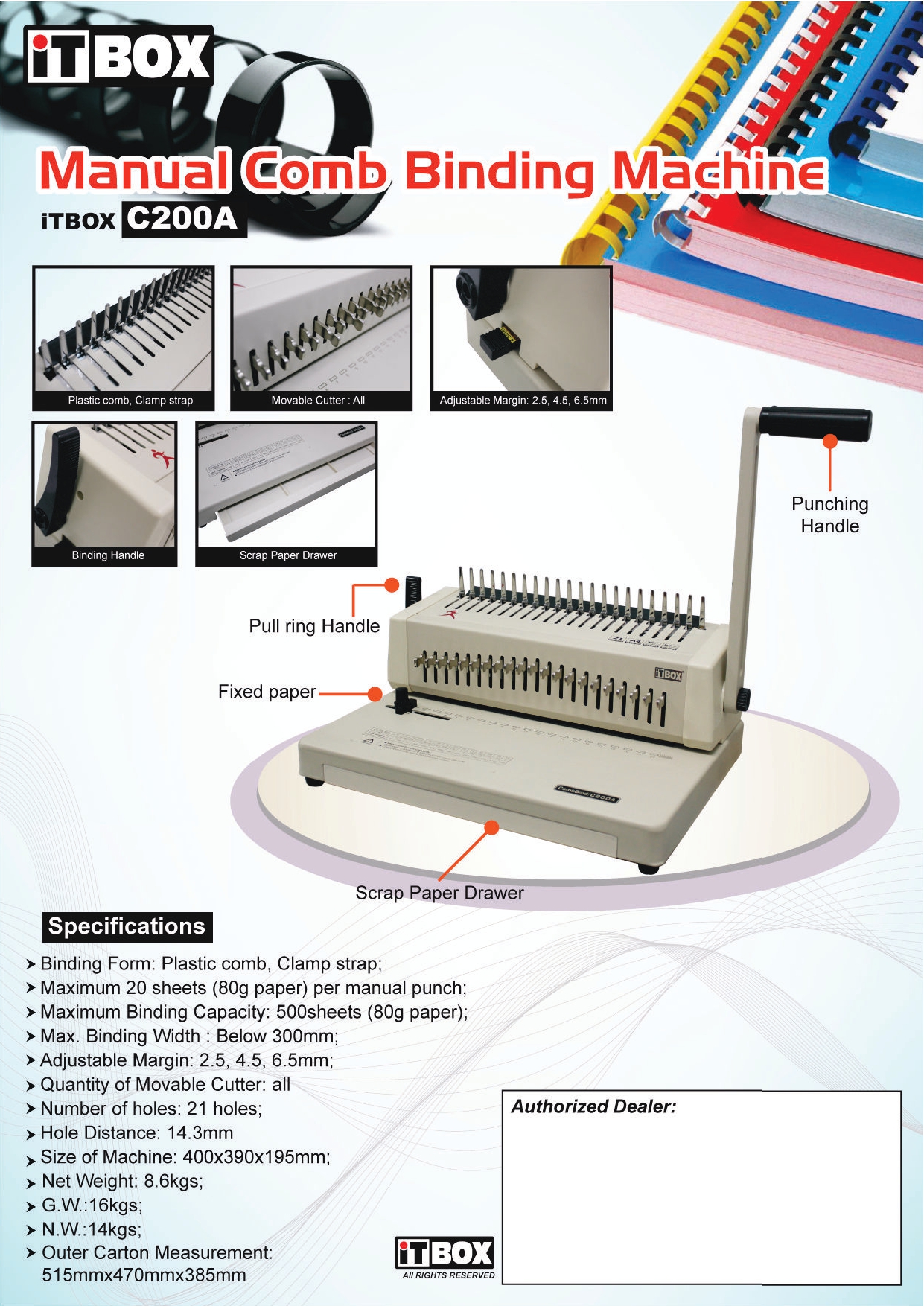
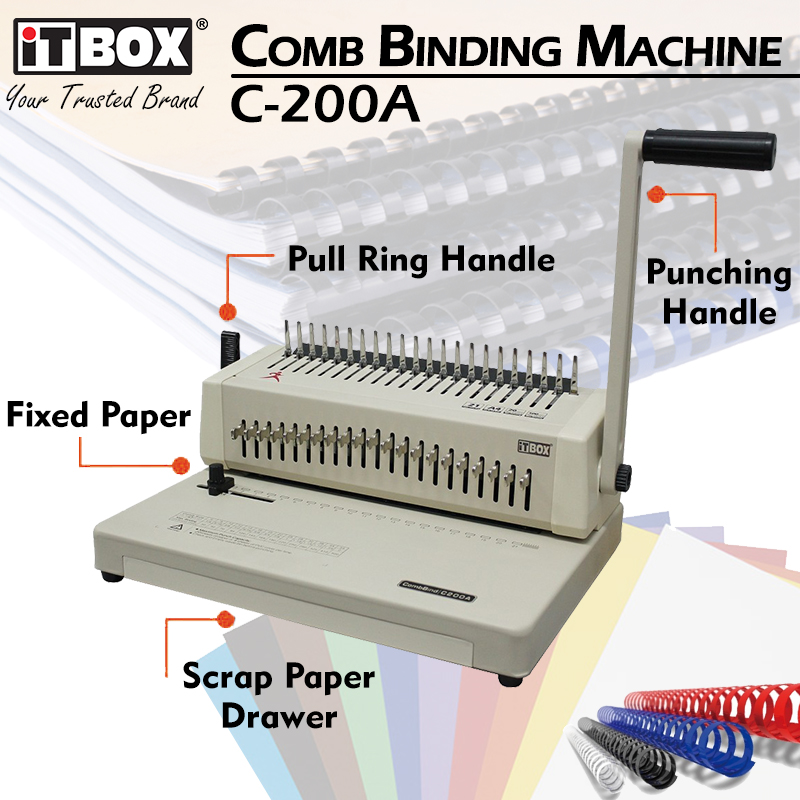
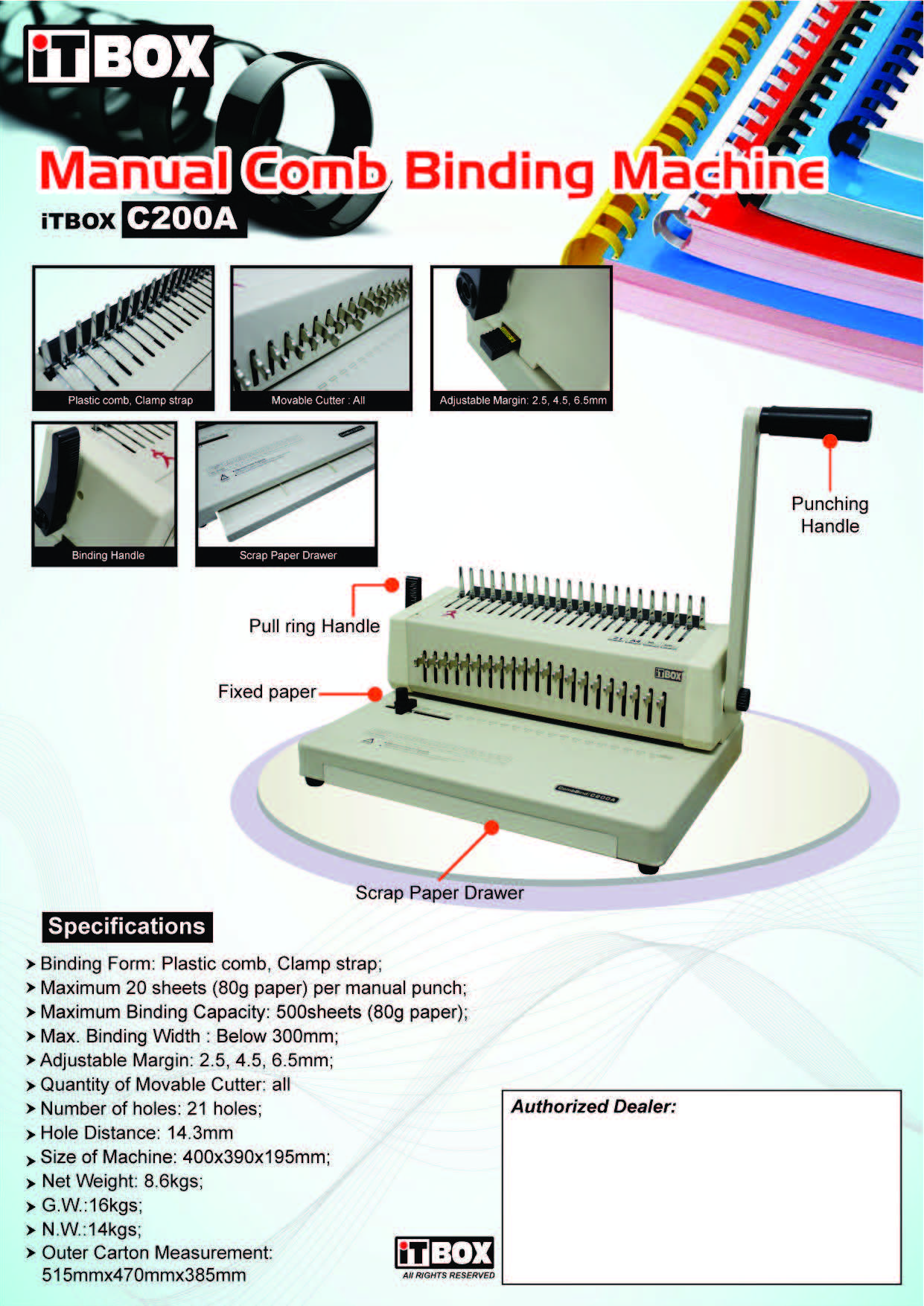
- Efficient Dual-Handle Design: Punch holes with one hand and open the binding comb with the other to save 50% of your processing time.
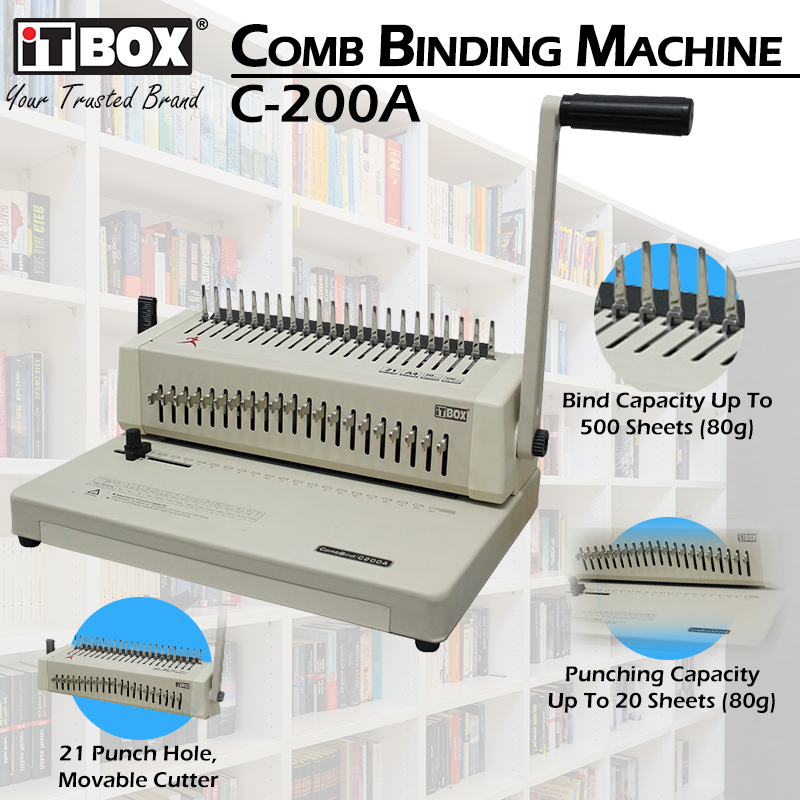
- High Punching Capacity: Powerful manual cutters allow you to punch up to 20 sheets (80gsm) in a single stroke.
- Massive Binding Range: Can bind documents up to 500 sheets thick, accommodating plastic combs from 6mm up to 51mm.
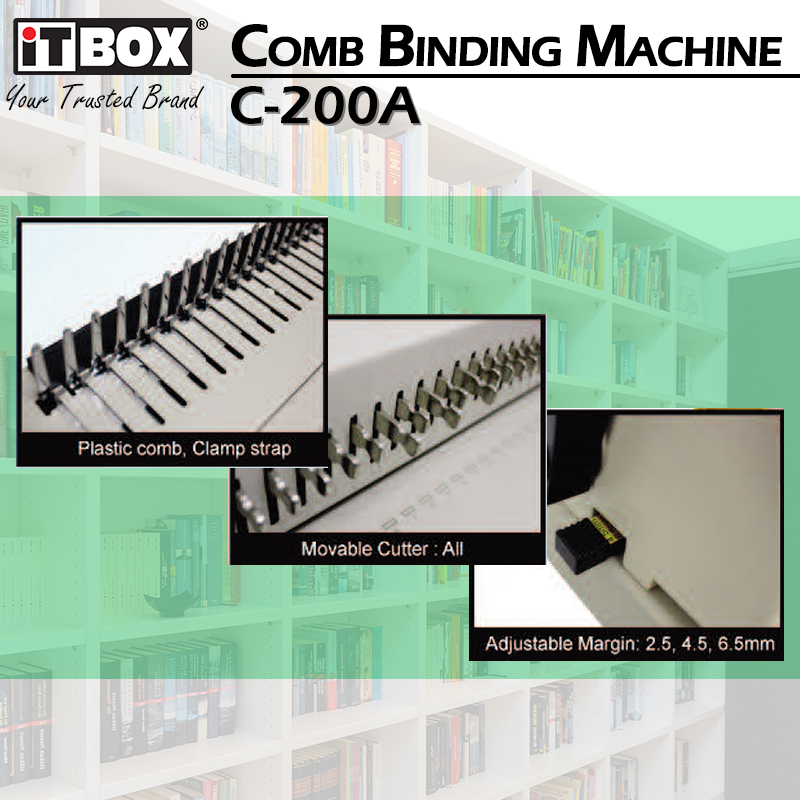
- Adjustable Depth Margin: Choose between three margin depths (2.5mm, 4.5mm, or 6.5mm) to ensure thick books are secure and easy to flip.
- Full-Width A4 Support: Standard 21-hole punch layout designed specifically for A4 and smaller document sizes.
- Industrial Build Quality: A solid 8.6kg metal-based construction ensures the machine stays stable on your desk during heavy operation.
SPECIFICATIONS :
- Binding form : Plastic comb,Clamp strap,Press Binder
- Maximum 20 sheets (80g paper) per manual punch
- Maximum binding capacity : 500 sheets (80g paper)
- Operation Type : Manual (Dual Handle)
- Max. binding width : below 300mm
- Adjustable margin : 2.5 , 4.5 , 6.5mm
- Quantity of movable cutter : All
- Number of holes : 21 Holes
- Hole distance : 14.3mm
- 2 Handle allowed binding and punching at the same time
- Machine dimension : 400 x 390 x 195mm
- Net weight : 8.6kgs
FAQ: Frequently Asked Questions
1. Can I use this for binding materials other than plastic combs? Yes, the C200A is versatile and supports plastic combs, clamp straps, and press binders, making it an all-in-one document finisher.
2. Is it difficult to punch 20 sheets at once? The machine is designed with a high-leverage handle to make punching 20 sheets feel smooth. However, for maximum longevity of the cutters, we recommend punching 15 sheets regularly.
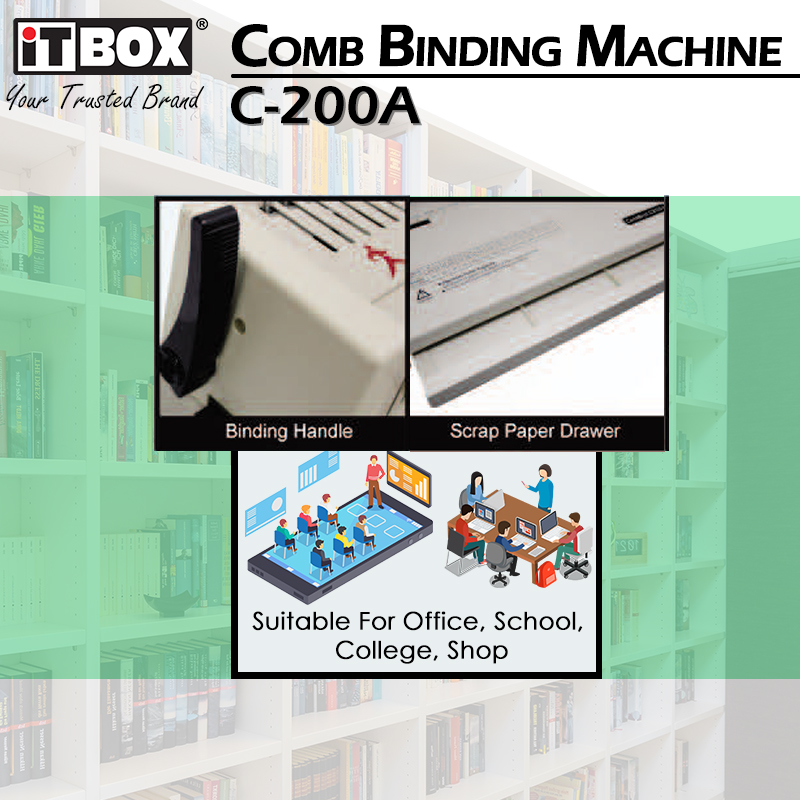
3. Does it have a waste tray for the paper scraps? Yes, it includes a high-capacity scrap paper drawer at the base that is easy to slide out and empty to prevent the machine from jamming.
4. Why is it hard to turn the pages of my finished document? This usually happens if the selected comb is too small for the number of pages or if the margin depth is set too far from the edge. Try a larger comb size or adjust the margin setting.
5. What should I do if the punching handle gets stuck? This usually indicates a jam. Carefully continue the punch stroke to finish the cut, then remove the paper. Never pull the paper out forcefully, as this can damage the internal die pins.
6. Can I bind smaller documents like A5 or B5? Absolutely. You can use the paper side guide to align smaller sheets, though the punch will follow the standard 21-hole spacing layout.
7. Why choose an official supplier in Puchong? As an official iTBOX supplier with over 15 years of experience, we keep local spare parts in stock and have technicians ready in Puchong for fast warranty claims and maintenance.
8. How do I maintain the machine for long-term use? Keep the punch dies sharp by occasionally punching through aluminum foil, and lubricate the internal sliding parts with a small amount of machine oil every few months if used daily.
9. Does it come with a warranty? Yes, we provide a 1-year local warehouse warranty (Puchong/Selangor) for manufacturing defects, covering both parts and labor.